


Prices in this article were checked on the Desktronic website (desktronic.de) on 3 November 2026 and can change at any time.
A height-adjustable desk gets most of the attention when people plan an ergonomic home office, but the desk is only one part of the picture. If your chair does not support you, your screen sits too low or a tangle of cables limits how freely the desk can move, you lose much of the benefit of being able to switch between sitting and standing.
European brand Desktronic has built a range of accessories around its HomeOne, HomePro and HomeMax desks. This guide focuses on those add-ons: two ergonomic chairs, a balance stool for standing work, monitor arms and stands, and cable management. Everything below is priced in euros from the German store.
In this guide
SitOne vs SitPro: Choosing an Ergonomic Chair
Desktronic sells two office chairs, and both arrive with the tools needed to assemble them.
The SitOne is the entry point. Desktronic highlights its seat depth adjustment, 4D armrests and lumbar support, all designed to follow the natural posture of your body during long working hours. It costs €279 in black and €299 in grey, olive green and midnight blue, down from list prices of €369 to €389.
The SitPro steps up to nine adjustment points, from a height-adjustable backrest to 3D armrests, with a high-density foam seat cushion that Desktronic says relieves pressure on the thighs during long desk sessions. It costs €379 in black and €399 in grey, olive green and a muted pink, against list prices of €479 to €499.
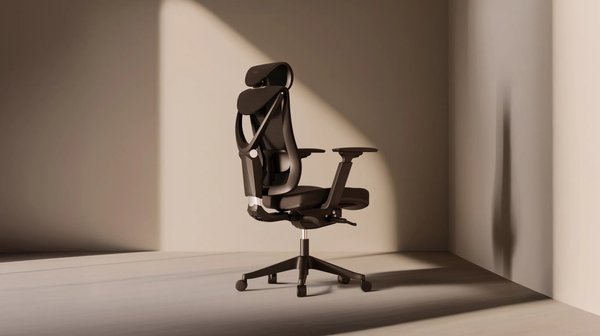
Whichever chair you choose, the setup principle is the same: feet flat on the floor, thighs roughly parallel to it, elbows close to 90 degrees with your forearms resting at desk height, and the lower back supported. A chair with more adjustment points simply makes it easier to hit those positions if you are particularly tall, short or share the desk with someone else.
The Balance Stool: Active Sitting at a Standing Desk
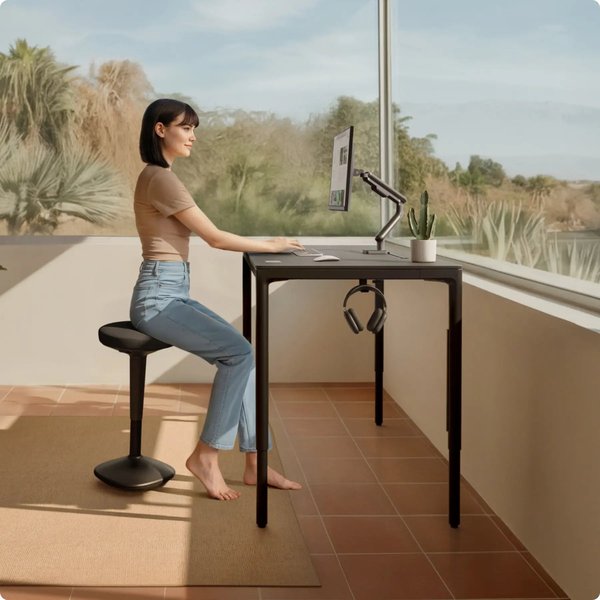
Standing all day is no better than sitting all day. The Desktronic balance stool, listed as the Wackelhocker on the German site, sits between the two. It adjusts from 57 to 82 cm, so it works at a raised standing-desk height, and its rocking movement is designed to keep your core gently engaged and support a more upright posture.
It is made from high-quality foam and durable materials, with a weighted, non-slip base for stability. The stool costs €149 (was €199) in black, grey, olive green and midnight blue. It is a good way to break up long standing sessions without lowering the desk back to sitting height.
Monitor Arms and Monitor Stands
Screen height is one of the most common causes of neck and shoulder strain. As a rule of thumb, the top of the screen should sit at or just below eye level, about an arm’s length away.
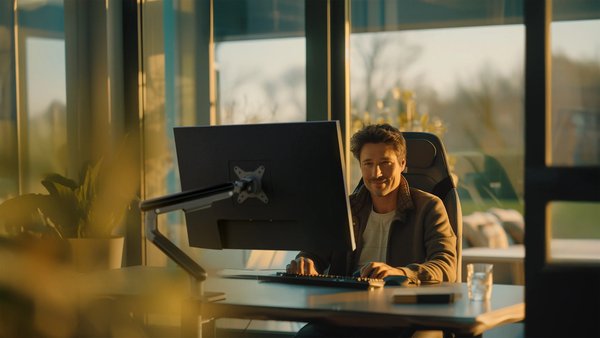
Desktronic’s monitor arm uses a sturdy metal construction and adjusts in both height and tilt. The single version costs €69 (was €139) and the dual version €99 (was €159), in black or white. Because the screen floats above the desk, it also frees up surface space and moves with the desk as it rises and falls.
If you prefer not to clamp anything to your desk, the monitor stand is a minimalist shelf that raises one or two monitors to a more comfortable eye height and creates storage space underneath for a keyboard, notebook or everyday items. It is designed to match Desktronic’s desks and costs €99 (was €149) in black with walnut, oak or black, rising to €199 (was €279) for the solid oak version.
Cable Management That Moves With the Desk
A standing desk travels up and down several times a day, so loose cables can snag, pull plugs out or simply look messy. Desktronic offers four options:
- Kabelkanal (cable tray), €28 (was €45): a robust under-desk tray large enough for cables, power strips, adapters and hard drives, with cut-outs for routing.
- Magnetic cable channel, €29 (was €39): a reinforced steel channel that attaches to any metal surface without tools and keeps cables secure while the desk moves.
- Kabelkanal Pro, €99 (was €129): the top under-desk tray, delivered pre-assembled with an integrated power strip, a magnetic front cover for easy access and ventilation cut-outs. You plug it into one wall socket and you are ready.
- Drawer, €34 (was €45): a metal under-desk drawer with smooth, quiet runners for documents and stationery.
Desktronic also sells replacement chair castors at €28 (was €45). Made from rubber, they are designed to roll smoothly without damage on surfaces from hardwood to tiles, so you can retire an old chair mat.
Desktronic Accessories Compared
| Accessory | Key features | Price (3 Nov 2026) |
|---|---|---|
| SitOne chair | Seat depth adjustment, 4D armrests, lumbar support | €279–€299 |
| SitPro chair | 9 adjustment points, 3D armrests, high-density foam | €379–€399 |
| Balance stool | 57–82 cm height, weighted non-slip base | €149 |
| Monitor arm | Metal, height and tilt adjustment; single or dual | €69 / €99 |
| Monitor stand | Shelf for one or two monitors with storage below | €99–€199 |
| Cable tray / magnetic channel | Under-desk tray or tool-free steel channel | €28 / €29 |
| Kabelkanal Pro | Pre-assembled tray with integrated power strip | €99 |
| Drawer / castors | Metal drawer; rubber floor-friendly wheels | €34 / €28 |
Prices from desktronic.de on 3 November 2026. Some colours are priced differently.
Where to Start on a Budget
If you already own a standing desk, the biggest improvements per euro usually come from screen height and cable management. A single monitor arm and a cable tray together cost under €100 and solve the two most common problems. Next comes seating: if you spend most of the day sitting, a properly adjustable chair is worth prioritising before smaller extras. The balance stool is the add-on to consider once you are standing regularly and want an in-between option.
Final Thoughts
An ergonomic workspace is a system rather than a single purchase. Desktronic’s accessories are designed to work with its desks, and on 3 November 2026 most were discounted well below list price. Start with whatever causes you the most discomfort today, whether that is your neck, back or a messy desk, and build from there. You can browse the full range on the Desktronic website.

Theo Louse
I am Theo Louse. My skills are dedicated to the field of technology information and try to make daily lives more enjoyable. With more than 12 years of experience with BM, we are particularly famous for 100% self-developed ideas. Over these years, we have worked to make everyday life more convenient for the fast-paced world we live in.