


Introduction
For years, many Australian homes have been stuck on nbn connections that still rely on old copper wiring for the last stretch to the house. Those connections work, but they cap the speeds you can get and can be sensitive to weather and line faults.
That is changing. A growing number of addresses are now eligible to upgrade to full fibre, known as FTTP (fibre to the premises). Providers such as Superloop are encouraging the switch with offers like Flip to Fibre.
If you have received a letter about a fibre upgrade, or you are wondering whether it is worth the effort, this guide explains what changes, who benefits most and what to check before you sign up.
1. What an FTTP Upgrade Actually Changes
With FTTP, fibre runs all the way to your home instead of stopping at a node or a pit in the street. A small connection box is installed inside, and your modem plugs into it.
The practical difference comes down to two things:
- Higher speed ceilings. Copper-based connections often cannot reach the faster tiers. Fibre can support gigabit plans and beyond.
- More consistent performance. Fibre is less vulnerable to environmental factors, so you can expect fewer dropouts and interruptions.
Superloop says customers on a high-performance fibre connection can tap into speeds of up to 2000Mbps, depending on the plan.

2. How Superloop’s Flip to Fibre Offer Works
Superloop’s Flip to Fibre page lets you enter your address to check whether your home qualifies for an nbn fibre upgrade.
If it does, Superloop offers a free standard installation of nbn FTTP when you stay connected for 12 months on a 500Mbps plan or higher. Terms and conditions apply, so read them for your address before ordering.
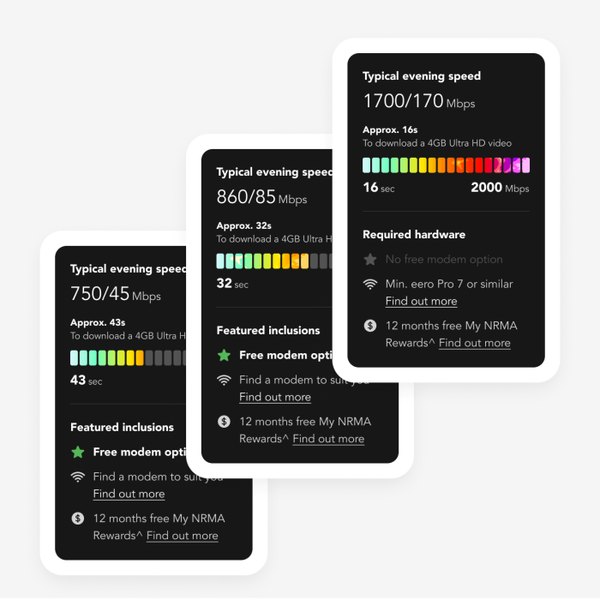
At the time of writing, Superloop was also promoting a 1Gbps plan (1000/100Mbps, with a typical evening speed of 860/85Mbps) with a discount for new customers in the first six months. Prices and promotions change, so check the current offer on the site.
3. Who Benefits Most From Fibre?
Not every household needs gigabit internet. Fibre makes the biggest difference if you:
- Work from home and rely on video calls and large file uploads
- Have several people streaming 4K video at the same time in the evening
- Play online games where stability matters as much as raw speed
- Back up photos and videos to the cloud regularly
- Have experienced frequent dropouts on your current copper connection
If you are a single person who mainly browses and streams in HD, a smaller plan may be enough. The good news is that fibre gives you room to grow without another installation later.
4. Choosing the Right Speed Tier
Superloop lists typical evening speeds for each plan, which is the most useful figure to compare because evening is when networks are busiest.
Its plan pages also show how long a 4GB Ultra HD video would take to download on each tier. That makes the trade-off easy to picture: a basic 25Mbps plan takes over 20 minutes, while faster tiers cut that to a few minutes or less.
All Superloop nbn plans come with unlimited data and no lock-in contract. You can browse the current Superloop nbn plans and compare them side by side.
5. Do Not Forget the Modem
A fast fibre line will not help much if your Wi-Fi cannot keep up. Older routers can become the bottleneck, especially in larger homes.
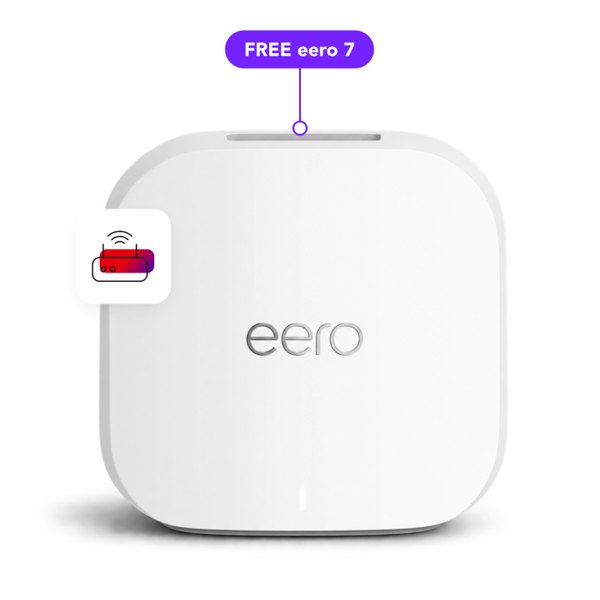
Superloop offers next-generation modems including the eero 7 and eero Pro 7 Wi-Fi 7 mesh systems and the TP-Link VB433v dual-band Wi-Fi 7 modem. Selected plans include a free router when you stay connected for 24 months. Terms apply.
If you already own a modern Wi-Fi 6 or Wi-Fi 7 router, you can usually keep using it with an FTTP connection.
6. Extra Features Worth Knowing About
Beyond the line itself, Superloop adds a few features that are useful after an upgrade:
- My Speed Boost: boost your internet speed through the app when you need extra performance
- Superloop PriceLock: lock in your plan’s list price for two years for a one-time payment
- Bundle and save: add a mobile plan or modem and save on your internet each month
- Teddy AI Assistant: 24/7 customer support
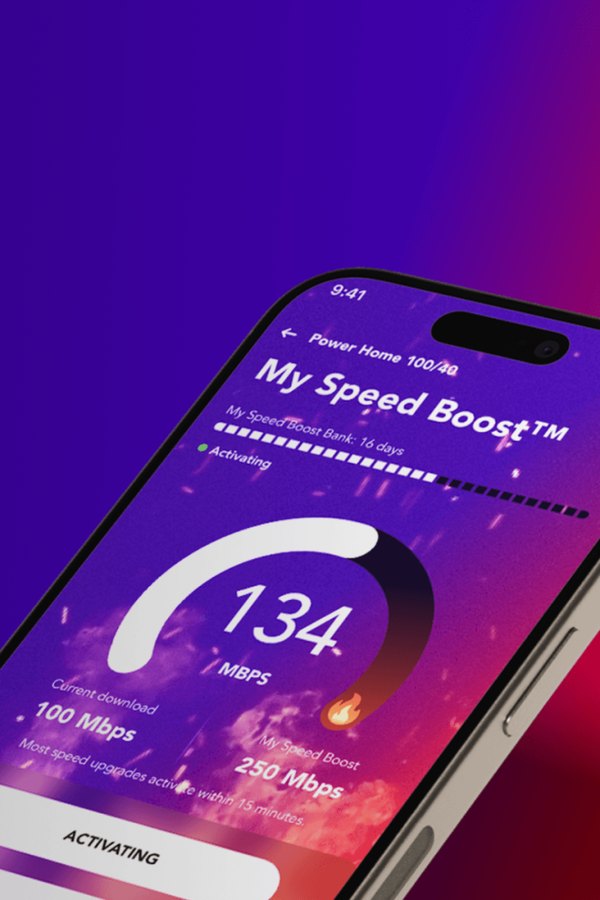
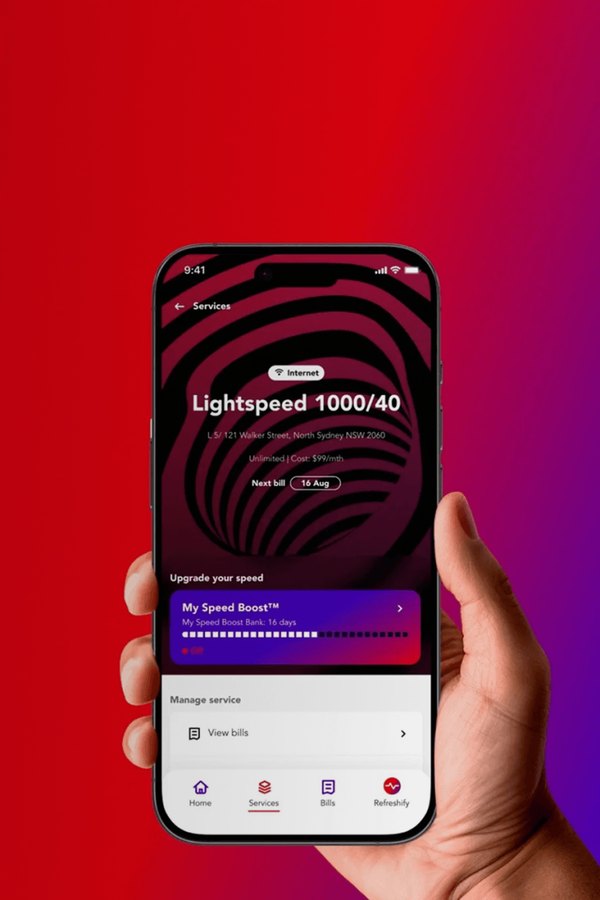
You can manage these extras, check your service and run a speed test from the Superloop app.
7. What If Fibre Is Not Available Yet?
Not every address qualifies for an FTTP upgrade. Homes in regional and remote areas are often served by nbn Fixed Wireless instead, which uses radio signals to connect without physical cables.
Superloop also offers Fixed Wireless plans with unlimited data, so you can still compare options if fibre has not reached your street.
8. Steps to Upgrade
- Check your address on the Superloop Flip to Fibre page
- Pick a plan that matches your household, keeping the 500Mbps minimum in mind for the free standard install
- Confirm the installation appointment and make sure someone is home
- Set up your modem and run a speed test once the fibre box is active
Conclusion
An nbn fibre upgrade is one of the simplest ways to future-proof your home internet. It raises your speed ceiling, improves reliability and removes the weak link of old copper wiring.
If your address is eligible, the free standard installation offer can make the switch very affordable. Check your address with Superloop to see what is available for your home.
FAQs
Is the fibre installation really free?
Superloop offers a free standard installation when you stay connected for 12 months on a 500Mbps plan or higher. Non-standard installations and other terms may apply.
Will I be locked into a contract?
Superloop nbn plans are no lock-in plans. The free installation condition applies if you want to avoid installation charges.
How do I know if my home is eligible?
Enter your address, including any unit number, on Superloop’s Flip to Fibre page.
Do I need a new modem for FTTP?
Not always. A modern router usually works, but Superloop offers Wi-Fi 7 options if your current device is old.
Is there a data limit?
No. All Superloop nbn plans come with unlimited data.

Theo Louse
I am Theo Louse. My skills are dedicated to the field of technology information and try to make daily lives more enjoyable. With more than 12 years of experience with BM, we are particularly famous for 100% self-developed ideas. Over these years, we have worked to make everyday life more convenient for the fast-paced world we live in.