


Not Every Household Needs the Same Internet Speed
Choosing an internet plan can quickly become confusing.
25 Mbps. 100 Mbps. 500 Mbps. 1 Gbps. 2 Gbps.
Faster sounds better, but the fastest available connection isn’t automatically the right option for every household.
A person living alone and mostly browsing the web has very different requirements from a family simultaneously streaming, gaming, working from home and using dozens of connected devices.
The key is understanding how your household actually uses the internet.
What Does Mbps Mean?
Internet speeds are commonly measured in megabits per second, abbreviated as Mbps.
A higher Mbps figure generally means your connection can transfer more data each second.
You’ll normally see two figures:
Download speed relates to receiving data from the internet.
Upload speed relates to sending data to the internet.
Downloading affects activities such as streaming movies, browsing websites and downloading games.
Uploading becomes particularly important for video calls, cloud backups and sending large files.
Start With the Number of People in Your Home
One of the easiest ways to estimate your requirements is to count how many people regularly use your internet.
A single user might browse social media while streaming music.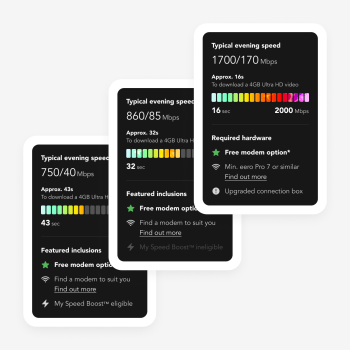
A family of four could simultaneously have:
- One person watching Netflix
- Someone gaming online
- Another person on a video call
- Someone watching YouTube
- Multiple phones updating apps
- Smart home devices remaining connected
The more simultaneous activity you have, the more useful additional bandwidth becomes.
Count Devices, Not Just People
Modern homes have considerably more connected devices than they used to.
Your internet connection may be supporting:
- Smartphones
- Tablets
- Laptops
- Desktop computers
- Smart TVs
- Gaming consoles
- Security cameras
- Smart speakers
- Video doorbells
- Smart appliances
Even if you only have three people at home, you could easily have 15 or 20 connected devices.
Not every device uses significant bandwidth continuously, but the total number still matters when choosing your setup.
Internet for Everyday Browsing
Basic online activities don’t usually require enormous bandwidth.
These include:
- Checking email
- Reading websites
- Online shopping
- Social media
- Messaging
- Basic music streaming
A smaller household mainly performing these activities may be comfortable with an entry level broadband plan.
But requirements increase once multiple people start streaming, gaming or joining video calls simultaneously.
Internet for Streaming
Streaming has become one of the biggest everyday uses of home internet.
The required bandwidth depends on video quality.
Standard definition video requires less bandwidth than HD, while 4K content requires more.
The number of simultaneous streams matters too.
One 4K television is very different from four family members streaming separate content at the same time.
When choosing a plan, think about what happens during your busiest evening rather than when only one person is online.
Internet for Working From Home
Remote and hybrid work have changed what many households require from their internet connections.
Working from home might involve:
- Video meetings
- Cloud software
- Large file transfers
- Browser based applications
- Remote desktop tools
- Cloud backups
Reliability can be just as important as headline download speed.
If two people regularly work from home while other household members are also online, additional bandwidth can provide more breathing room.
Upload Speed Matters for Remote Work
Download speed gets most of the attention, but don’t ignore upload speed.
If you’re regularly sending large files, uploading videos or participating in video conferences, upload performance matters.
Content creators may notice this even more.
Uploading large video files to cloud storage can take considerably longer on a connection with limited upload capacity.
Look at both download and upload specifications when comparing internet plans.
Internet for Gaming
Online gaming doesn’t necessarily require the highest download speed available.
Other factors such as latency and connection stability can also significantly affect the experience.
However, modern games can involve very large downloads and updates.
A faster connection can substantially reduce the amount of time required to download these files.
Gaming households with several consoles and PCs may therefore benefit from higher speed plans even when individual online matches don’t consume enormous bandwidth.
Internet for Large Families
Larger households often experience problems when everyone gets online at the same time.
Picture a typical evening:
Someone is streaming a movie.
Another person is gaming.
Two children are watching separate videos.
A laptop is downloading an update.
Several phones are connected.
A cloud backup starts automatically.
Individually, none of these activities seems unusual.
Together, they can place considerably more demand on the home connection.
This is where higher speed internet plans can become particularly useful.
Understand Your Peak Usage
Don’t choose your internet plan based on your quietest hour.
Think about peak usage.
Ask:
When is everyone online?
For many households, this is between late afternoon and evening.
Consider how many people are streaming, gaming, working or downloading during that period.
Your internet plan should ideally handle those busy periods comfortably.
Don’t Forget Your Wi-Fi Setup
Sometimes the internet plan isn’t actually the problem.
Your Wi-Fi could be.
A fast connection entering the house doesn’t guarantee the same performance in every room.
Wi-Fi performance can be affected by:
- Distance from the router
- Walls and floors
- Router placement
- Interference
- Older hardware
- Large homes
- Too many connected devices
Before immediately upgrading your internet plan because one bedroom has poor Wi-Fi, investigate your home network.
Router Technology Matters
A good router helps distribute your internet connection around your home.
Newer Wi-Fi standards can provide better performance for compatible devices.
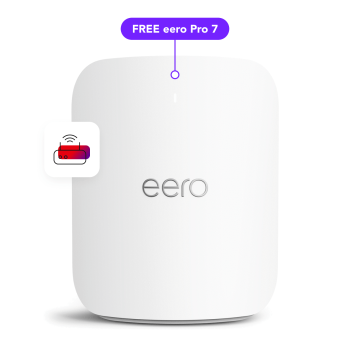
Superloop currently offers next generation Wi-Fi 7 hardware, including TP-Link and eero options across selected plans.
For larger properties, mesh Wi-Fi can also help extend coverage by using multiple access points around the home.
Place Your Router Carefully
Router placement can make a noticeable difference.
Try to position it:
- Near the centre of the home
- Away from enclosed cupboards
- Away from large metal objects
- In an elevated position where practical
- Away from unnecessary electronic interference
Placing a powerful router in the corner of a garage and expecting perfect Wi-Fi at the opposite end of the house isn’t ideal.
When Does Fibre Make a Difference?
Fibre to the Premises, or FTTP, brings fibre connectivity directly to the property.
Eligible Australian households may have access to an nbn fibre upgrade.
Fibre connections can support higher speed tiers and provide a foundation for households with increasingly demanding internet requirements.
This can become particularly relevant as homes add more connected devices and higher bandwidth services.
Think About Future Internet Usage
Your internet needs aren’t necessarily going to remain the same.
Consider what your household might look like over the next few years.
You could add:
- More smart TVs
- Higher resolution streaming
- Security cameras
- Smart appliances
- Gaming devices
- Home offices
- Cloud based services
Choosing a connection with some additional capacity can help accommodate future changes.
Understanding Superloop’s Speed Tiers
Superloop currently provides several nbn speed options designed for different levels of household usage.
Its current range includes entry level plans for basic browsing and smaller households through to faster plans intended for families, power users and households with significant simultaneous internet activity.
Following recent nbn speed upgrades, selected Superloop plans now offer speeds including 500 Mbps, 750 Mbps, 1 Gbps and up to 2 Gbps, depending on the plan, connection type and address eligibility.
What Is a 2Gbps Internet Plan?
2Gbps represents up to 2,000 Mbps of download capacity.
That is far beyond what a typical basic internet user needs.
However, multi gigabit connections can be relevant for households with particularly demanding requirements, such as:
- Multiple heavy internet users
- Very large downloads
- High resolution streaming across many devices
- Large cloud transfers
- Advanced home networks
- Power users
- Content heavy workflows
Superloop currently offers a Hyperspeed plan with speeds up to 2000/200 Mbps on eligible connections.
Availability depends on location and connection technology.
Unlimited Data Can Simplify Things
Households that stream, game and download regularly can consume significant amounts of data.
Unlimited plans remove the need to constantly monitor monthly data allowances.
Superloop’s current residential nbn plans include unlimited data, allowing households to concentrate on choosing the appropriate speed tier rather than calculating a monthly data allowance.
Consider Flexibility
Internet needs can change.
Someone might start working from home.
Children may begin using more online learning tools.
You could purchase a new gaming console or 4K television.
For this reason, consider how easily you can change your plan.
Superloop currently offers month to month, no lock-in residential internet plans, giving customers flexibility to change their service if their requirements evolve.
Test Your Current Connection
Before changing plans, run an internet speed test.
Try testing at different times:
Morning
Afternoon
Peak evening hours
Also compare Wi-Fi performance in different rooms.
This can help you understand whether your issue is the internet connection itself or Wi-Fi coverage inside the home.
A Simple Internet Speed Checklist
Before choosing a plan, ask:
- How many people live in my household?
- How many devices are regularly connected?
- How many people stream simultaneously?
- Do we watch a lot of 4K content?
- Does anyone work from home?
- Do we regularly make video calls?
- Are there gamers in the household?
- Do we frequently download large files?
- Do we upload large files or videos?
- Is my current Wi-Fi hardware good enough?
- Is FTTP available at my address?
- How might our internet usage change in the future?
Your answers will give you a much better idea of the connection you actually need.
Bigger Isn’t Always Necessary
It’s easy to assume you should simply purchase the fastest plan available.
But internet plans should match actual usage.
A small household mainly browsing, emailing and occasionally streaming doesn’t necessarily require multi gigabit internet.
At the same time, a busy family with several heavy users shouldn’t automatically choose the lowest speed tier simply because it’s cheaper.
The best value comes from matching speed with real world requirements.
Superloop and Australia’s Connected Homes
Superloop is an Australian owned telecommunications provider offering residential, business and wholesale connectivity.
The company operates its own high capacity network infrastructure and provides nbn, fibre, mobile and other connectivity services.
Its residential offering currently combines unlimited data internet plans with features including selected Wi-Fi 7 modem options, the Superloop app and My Speed Boost on eligible plans.
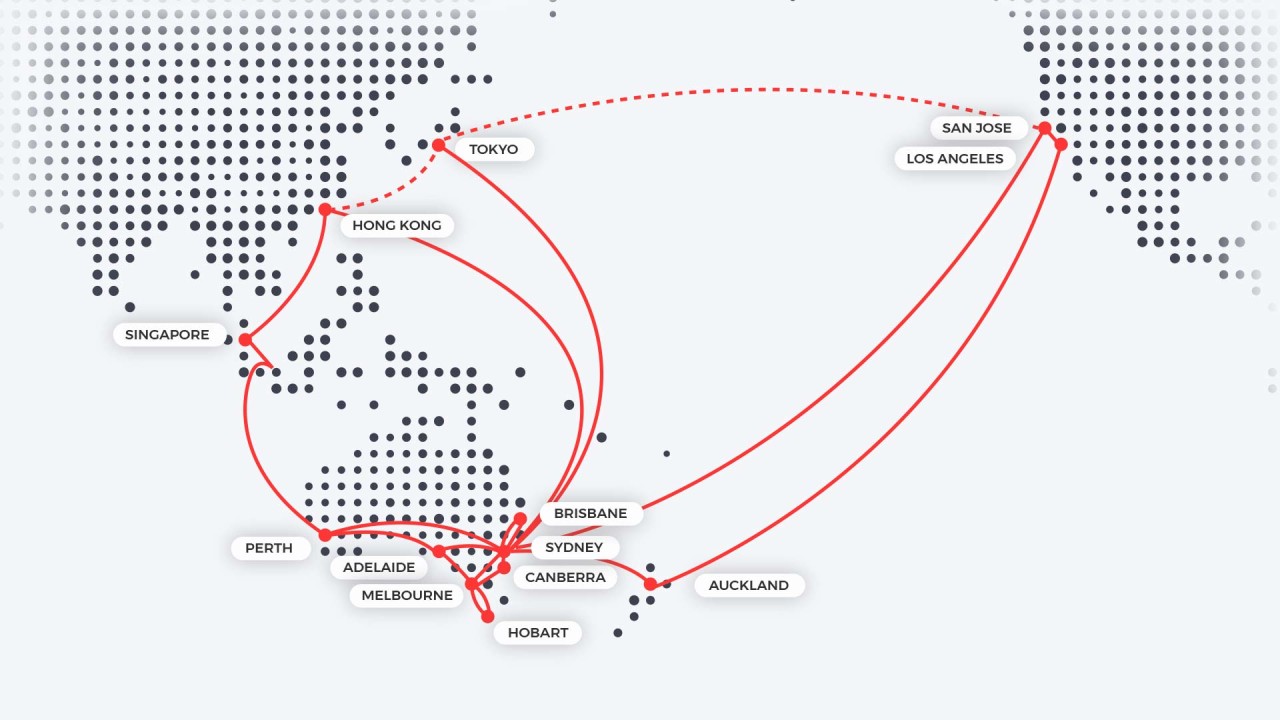
Superloop also operates extensive fibre infrastructure connecting major Australian cities and data centres.

Final Thoughts
Choosing the right internet speed doesn’t have to be complicated.
Start by looking at your household.
Count the people, devices and simultaneous activities that depend on your connection.
Think about streaming, gaming, remote work, video calls and large downloads. Then consider whether your router and Wi-Fi setup are capable of delivering that connection effectively throughout your home.
Superloop’s range extends from everyday nbn plans to high speed fibre options designed for more demanding connected households.
The goal isn’t simply to buy the biggest number available.
It’s to choose enough speed for your household to stay connected comfortably today and as your digital life evolves.

Theo Louse
I am Theo Louse. My skills are dedicated to the field of technology information and try to make daily lives more enjoyable. With more than 12 years of experience with BM, we are particularly famous for 100% self-developed ideas. Over these years, we have worked to make everyday life more convenient for the fast-paced world we live in.